

For details on how to write your product listing, please refer to the Product Registration Guide.
 Product Review Process
Product uploads move through the roadmap below in sequence. If there's an issue with your product, it may go through a Rejected / Edit Rejected / Denied status.

 Checking Your Product's Status
You can check what stage each product is in from the first column on the right side of the product list in Partner Hub.
Once a product switches to Review Done, you're free to edit the product page.
A product that has already started selling keeps selling even while it's in Editing status.

Product Status Guide
 Editing — The seller is currently writing the product page.
Pending Review — Review has been requested. You can still cancel or edit the content while in this status.
In Review — An admin is reviewing the product. You can't edit the product while it's in this status.
Rejected / Edit Rejected — The review request was rejected. Please check the reason and make edits.
Denied — The product has been finally denied and can no longer be submitted for review.
Review Done — The product review is complete. (You can start selling right after the first review.)
Editing — The seller is currently writing the product page.
Pending Review — Review has been requested. You can still cancel or edit the content while in this status.
In Review — An admin is reviewing the product. You can't edit the product while it's in this status.
Rejected / Edit Rejected — The review request was rejected. Please check the reason and make edits.
Denied — The product has been finally denied and can no longer be submitted for review.
Review Done — The product review is complete. (You can start selling right after the first review.) Product return/rejection
•
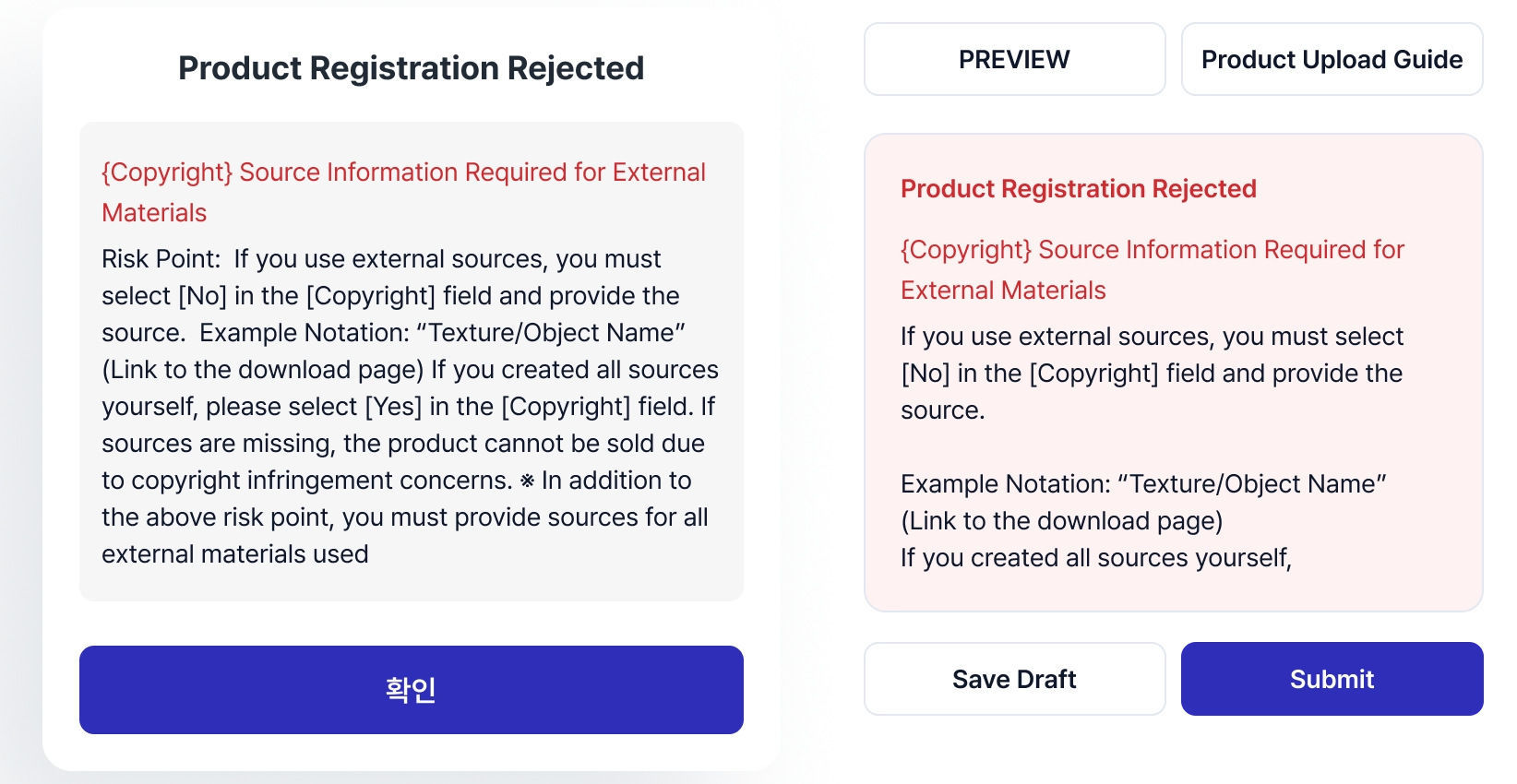
What if my product gets returned?
If your listed product is rejected, the reason will be displayed on the product page.
You can edit the rejected product in Hub and request a re-review.
•
What if my product gets rejected?
If your listed product is rejected, the reason for rejection will be displayed on the product page.
You cannot edit a rejected product; you must create a new product listing.